
First Automation Lab build
AI-Powered Invoice Automation: From Drive to Spreadsheet
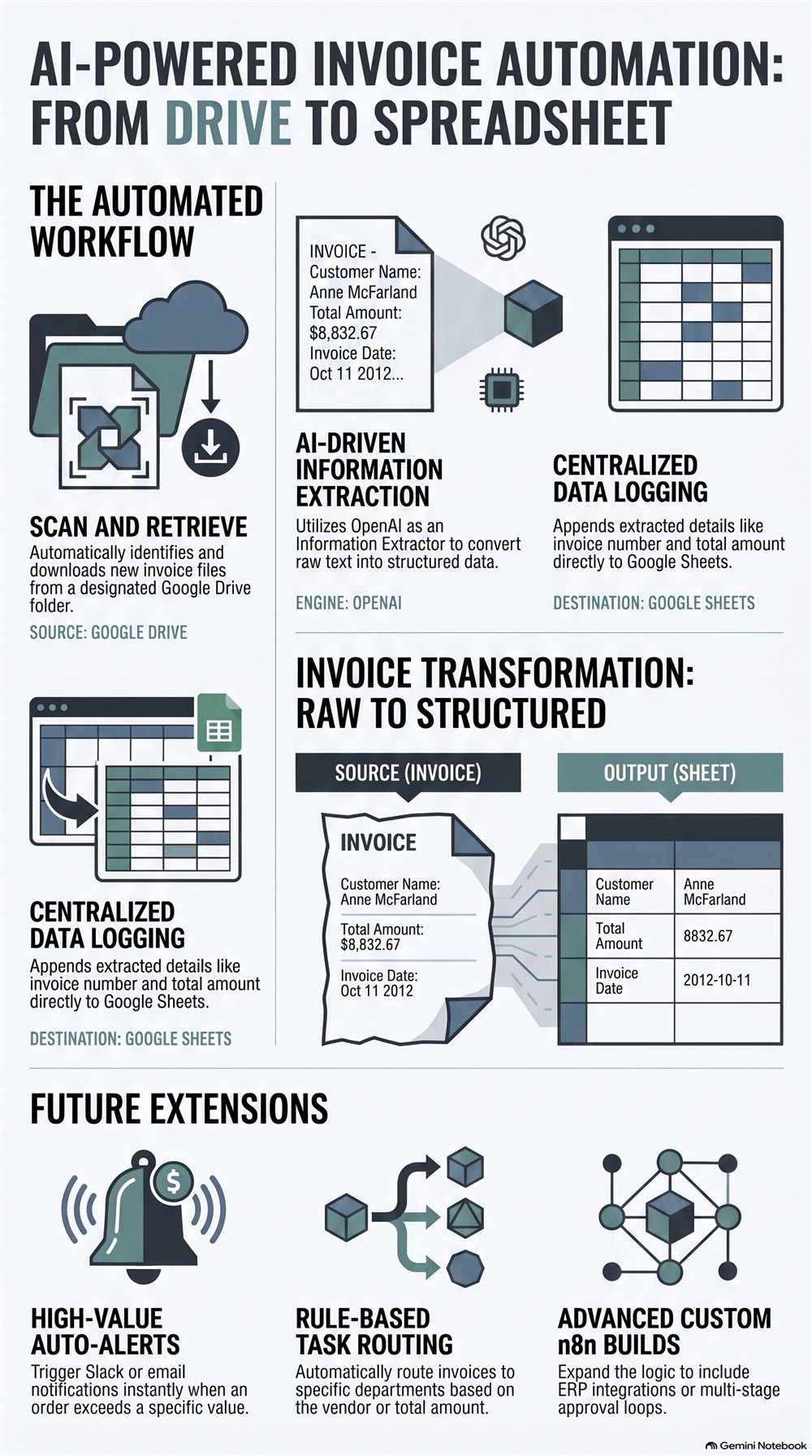
An n8n workflow that scans invoices from a Google Drive folder, extracts the key fields with OpenAI, and logs them straight into Google Sheets — no manual data entry.
Demo
Watch it run
How it works
The workflow
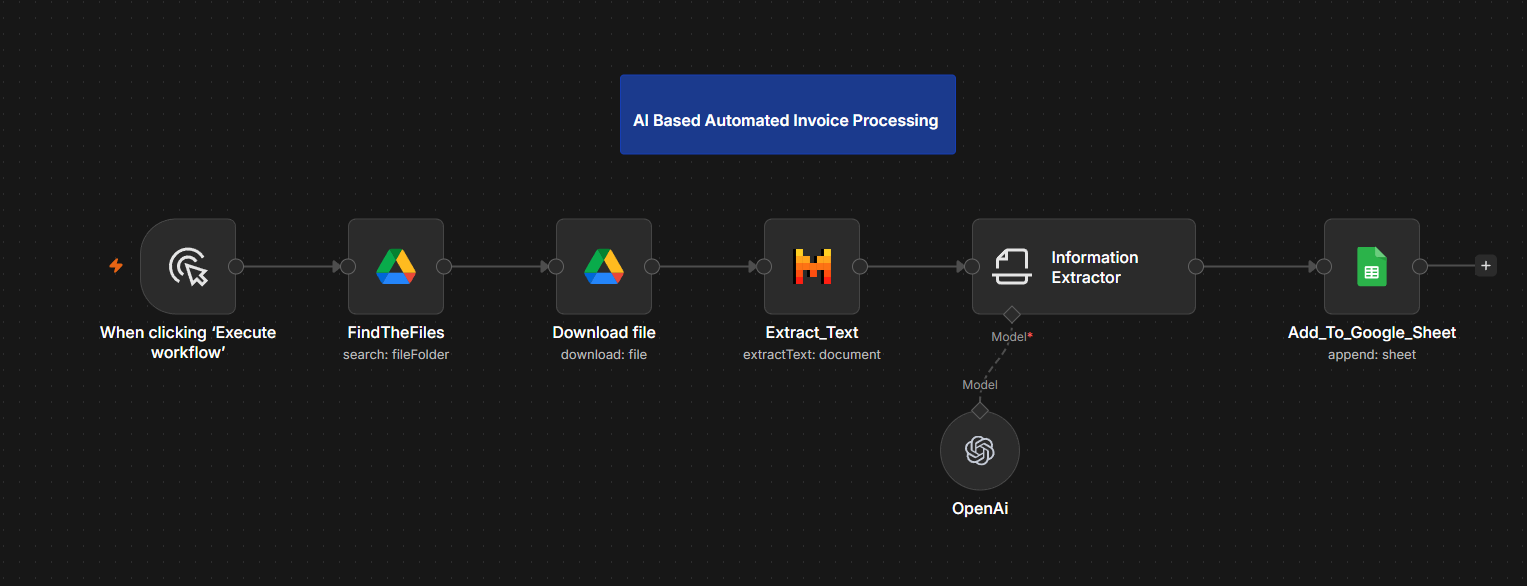
Six steps, running end to end in n8n:
- Manually triggered ("Execute workflow")
- FindTheFiles — searches a designated Google Drive folder for new invoices
- Download file — pulls the matched file down
- Extract_Text — pulls raw text out of the document
- Information Extractor — an OpenAI model converts that raw text into structured fields
- Add_To_Google_Sheet — appends the structured row to the output sheet
Output
What gets captured
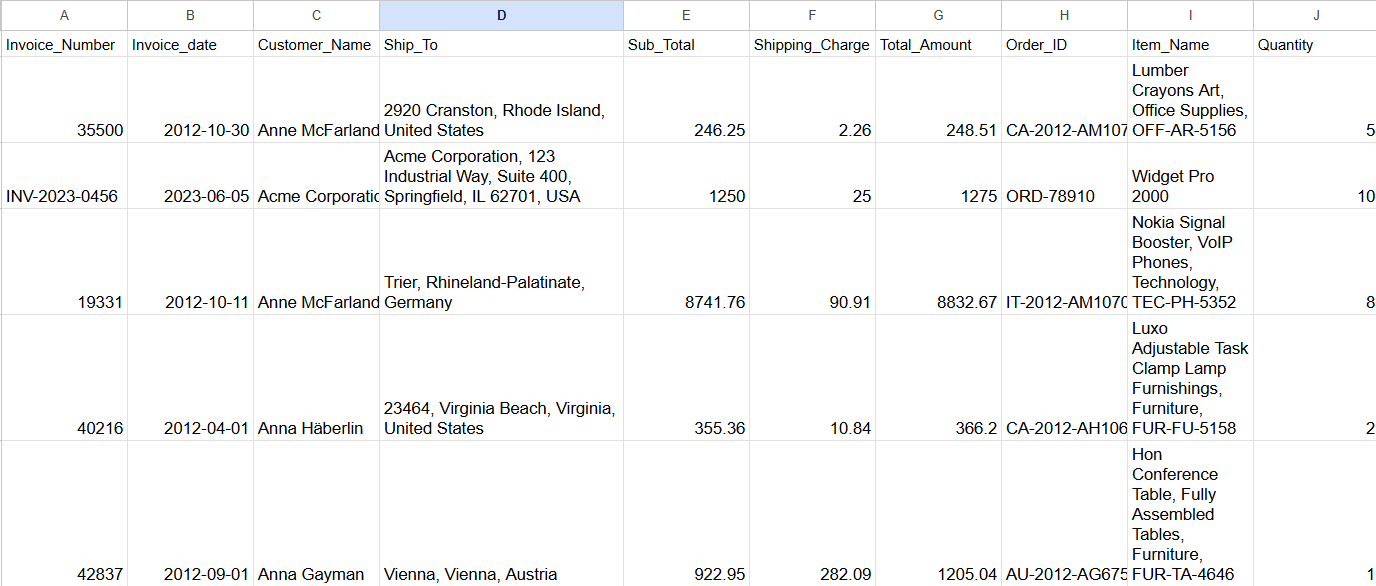
Each invoice is parsed into 10 structured columns in Google Sheets:
- Invoice Number, Invoice Date
- Customer Name, Ship To
- Sub Total, Shipping Charge, Total Amount
- Order ID, Item Name, Quantity
The screenshot below uses sample invoice data to demonstrate the extraction — not real client documents.
Roadmap
What's next
Not built yet — ideas for extending this workflow:
- High-value auto-alerts — Slack or email notification when an invoice exceeds a set value
- Rule-based task routing — route invoices to specific departments by vendor or amount
- Advanced custom n8n builds — ERP integrations or multi-stage approval loops
See the Automation Lab for other builds, or get in touch to discuss a similar workflow.